
In today’s digital landscape, securing your online activity is more crucial than ever. For users of Google’s browser, a dedicated VPN for your Chrome workflow can be an incredibly effective tool. Finding the right browser extension, however, requires understanding what makes a service both effective and safe. This guide is designed to help you discover the best VPN solution that integrates seamlessly with Chrome, ensuring your browsing is private and secure without sacrificing performance.



Benefits of Using a VPN with a Chrome Extension
Opting for a VPN through its browser extension rather than a standalone desktop application offers several distinct advantages that cater specifically to your browsing habits. These benefits streamline your workflow and provide targeted security where you need it most.
- Easy and Quick Connection Setup
- Connect the VPN Only When Using the Browser
- Use Different Connections for Each Browser Profile
Easy and Quick Connection Setup
One of the most significant advantages of a VPN Chrome extension is its simplicity. Unlike full desktop applications that require a download and installation process, a browser extension can be added directly from the Chrome Web Store with just a couple of clicks. Once added, you typically only need to log in to your VPN account and select a server to connect. This process is incredibly fast and intuitive, making it an excellent choice for users who want to secure their browser traffic without dealing with complex software configurations.
Connect the VPN Only When Using the Browser
A browser extension exclusively routes the traffic from your Chrome browser through the VPN server. All other applications on your computer, such as email clients, gaming platforms, or system updates, will continue to use your regular internet connection. This separation can be highly beneficial. For instance, it allows you to access geo-restricted content in your browser while maintaining a low-latency connection for online gaming. It also consumes fewer system resources compared to a full VPN application that encrypts all of your device’s outgoing and incoming data.
Use Different Connections for Each Browser Profile
For users who leverage Chrome’s profile feature to separate work, personal, and other browsing activities, VPN extensions offer unique flexibility. You can activate the VPN extension on one profile while leaving it disconnected on another. This allows for granular control over your connections. For example, you can connect your “work” profile to a server in your home country to access company resources securely, while using your “personal” profile without a VPN or connected to a server in another country for private browsing or accessing international content. This level of control is not possible with most desktop VPN clients, which apply a single connection across the entire system.
Key Points for Choosing a VPN with a Chrome Extension
Selecting the right VPN provider involves more than just checking if they offer a browser extension. To ensure your online activities are truly private and secure, several factors must be carefully considered.
- Compatibility with Chrome Extensions
- A Strong Reputation for Security and Privacy Protection
- Ease of Connection and Setup
Compatibility with Chrome Extensions
The first and most fundamental point is confirming that the VPN service you are interested in actually provides a dedicated, fully-functional extension for Google Chrome. While most major VPN providers do, their features can vary significantly. Some extensions are simple proxies that only change your IP address, while others offer more robust security features like WebRTC leak protection and HTTPS Everywhere. It is essential to choose a service that offers a true VPN extension, not just a basic proxy, to ensure your traffic is properly encrypted.
A Strong Reputation for Security and Privacy Protection
The primary purpose of a VPN is to enhance your security and privacy. Therefore, the reputation of the provider is paramount. Look for services with a strict no-logs policy that has been independently audited by a reputable third party. This ensures the company does not collect or store any information about your online activities. Additionally, strong encryption standards, such as AES-256, and secure protocols are non-negotiable features. A provider’s history of data breaches or privacy scandals should be a major red flag.
Ease of Connection and Setup
As mentioned previously, one of the main draws of a Chrome extension is its convenience. The best VPN extensions feature a user-friendly interface that makes it simple to connect to a server, switch locations, and access settings. The process should feel seamless and integrated into the browser experience. A complicated or buggy extension defeats the purpose of choosing this streamlined solution. Look for a clean design and one-click connection capabilities to ensure a hassle-free experience.
Recommended VPNs with Chrome Extensions
While many services offer Chrome extensions, a few stand out for their performance, security, and feature-rich browser integrations. Here is a look at three of the top contenders in the market.
| ExpressVPN | NordVPN | SurfShark | CyberGhost | Private Internet Accesss | |
| Prices | 1-Month: $13.99 12-Months: $5.99/month 24-Months: $4.49/month | 1-Month: $11.99 12-Months: $4.99/month 24-Months: $3.99/month | 1-Month: $12.95 12-Months: $3.99/month 24-Months: $2.39/month | 1-Month: $12.99 6-Months: $6.99/month 24-Months: $2.11/month | 1-Month: $11.95 12-Months: $3.33/month 36-Months: $2.03/month |
| Money-back Guarantee | 30 days | 30 days | 30 days | 1-Month: 14 days 6-Month/24-Month: 45 days | 30 days |
| Countries | 105 | 118 | 100 | 100 | 91 |
| Servers | 3,000+ | 7,000+ | 3,200+ | 10,000+ | Undisclosed |
| Maximum devices supported | 12 | 10 | Unlimited | 7 | unlimited |
| Connection Speed | Ultra Fast | Fast | Fast | Fast | Fast |
| Security | AES-256 Kill Switch | AES-256 Kill Switch | AES-256 Kill Switch | AES-256 Kill Switch | - Kill Switch |
| Privacy | No-logging | No-logging | No-logging | No-logging | No-logging |
| Support | 24/7 | 24/7 | 24/7 | 24/7 | 24/7 |
ExpressVPN: Ultra-fast Internet Speeds
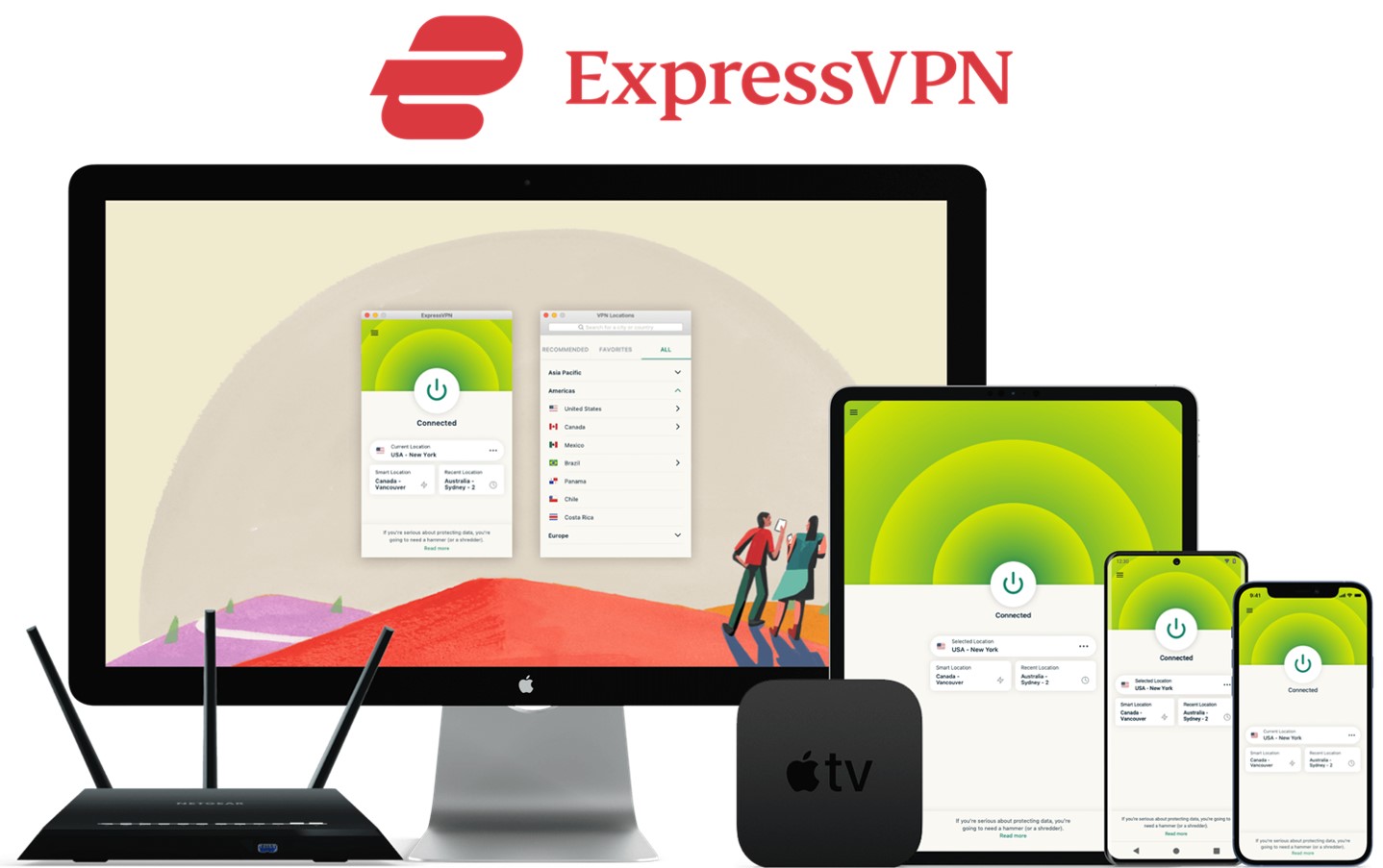
| Prices | 1-Month: $12.95 12-Months: $6.67/month 24-Months: $4.99/month |
| No-log-policy and kill switch | Yes |
| Countries and servers | 105/3,000+ |
| Money-back Guarantee | 30 days |
| 24/7 customer support | Yes |
| Maximum devices supported | 8 |
| Headquarter | British Virgin Islands |
ExpressVPN has some of the fastest internet speeds of the VPNs we have used. ExpressVPN is consistently found by review sites to be one of the fastest VPNs. Therefore ExpressVPN receives great reviews and popularity. With a network of over 3,000 servers in 105 countries, users have a wide range of options for changing their IP address to different locations. ExpressVPN prioritizes user privacy with a secure no-logs policy and offers additional features such as a kill switch and 24/7 customer support.
After you’ve registered with ExpressVPN, you can use it to easily browse the internet just by downloading their app.
- Place a high importance on internet speed
- Want to use the VPN with the greatest market popularity
\30-day Money-Back Guarantee/
NordVPN: The Ultimate Balance of Price and Internet Speed
| Prices (standard plan) | 1-Month: $11.99 12-Months: $4.99/month 24-Months: $3.99/month |
| No-log-policy and kill switch | Yes |
| Countries and servers | 118/7,000+ |
| Money-back Guarantee | 30 days |
| 24/7 customer support | Yes |
| Maximum devices supported | 10 |
| Headquarter | Republic of Panama |
NordVPN has established itself as a leading VPN service, offering an excellent balance of price, internet speed, server coverage, and global reach. As a result, NordVPN has gained the largest market share worldwide. It consistently receives positive reviews from top experts in the industry. With a vast network of over 7,000 servers across 118 countries, NordVPN provides a wide range of options for changing your IP address to various locations. NordVPN prioritizes user privacy with a secure no-logs policy, along with additional features such as a kill switch and 24/7 customer support.
After you’ve registered, you can easily browse the internet using NordVPN just by downloading their app.
- Want to balance price and internet speed
- Want to use the VPN with the highest market popularity
\30-day Money-Back Guarantee/
Surfshark: Impressive Experience with Fast-growing Emerging VPN
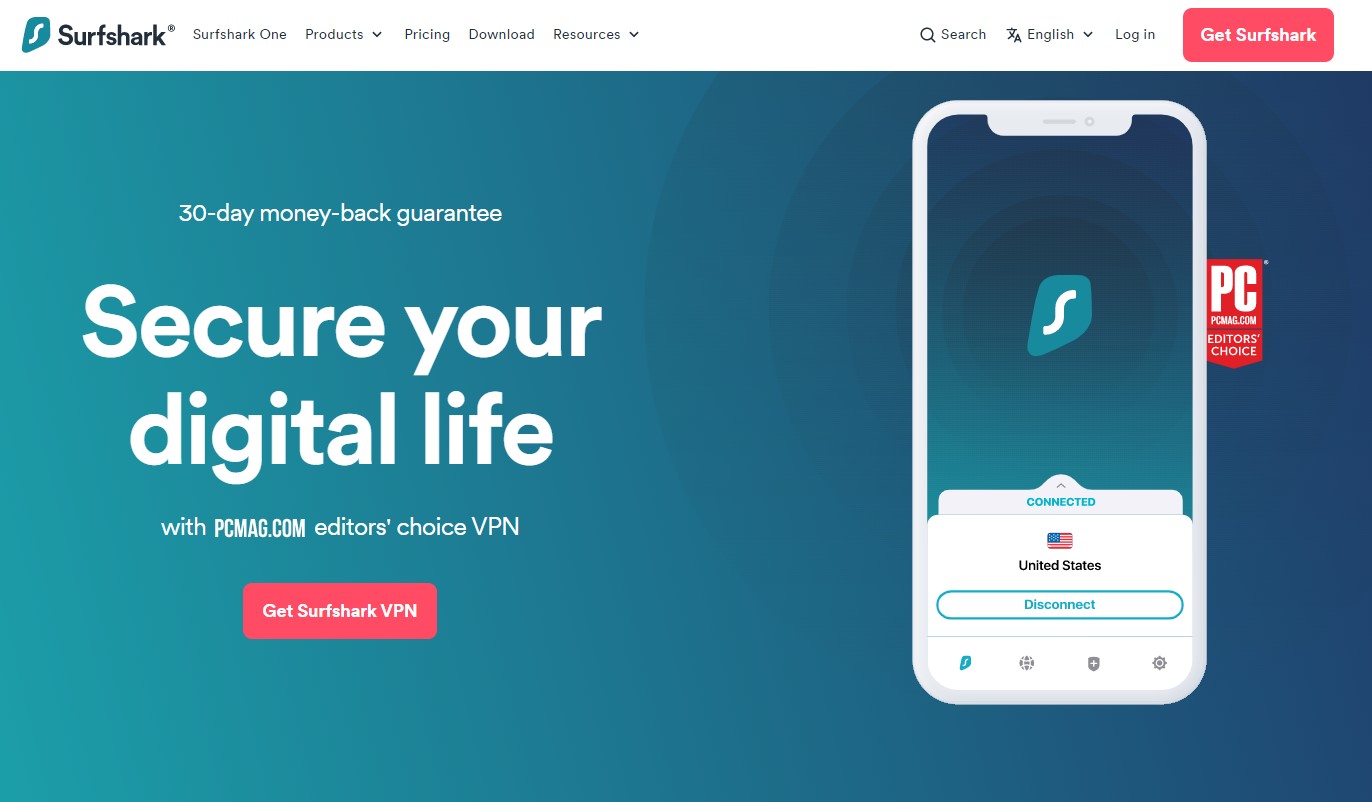
| Prices (standard plan) | 1-Month: $12.95 12-Months: $3.99/month 24-Months: $2.39/month |
| No-log-policy and kill switch | Yes |
| Countries and servers | 100/3,200+ |
| Money-back Guarantee | 30 days |
| 24/7 customer support | Yes |
| Maximum devices supported | Unlimited |
| Headquarter | Netherlands |
Surfshark, established in 2018, has quickly gained a strong reputation and popularity worldwide despite being a relatively new service. While it may have some occasional delays in connecting and slightly weaker region-blocking capabilities compared to ExpressVPN and NordVPN, it offers significant advantages. By opting for the 24-month plan, you can obtain Surfshark at a much lower price than ExpressVPN and NordVPN. Additionally, Surfshark provides unlimited simultaneous connections, allowing you and your family to connect and use all your devices simultaneously. With over 3,200 servers in 99 countries, Surfshark offers a wide range of options. It also boasts a private and secure no-logs policy, a kill switch, and 24/7 customer support.
After you’ve registered, you can easily browse the internet using Surfshark by downloading their app.
- Who want to some constant quality and budget
- Who want to connect with lots of devices
\30-day Money-Back Guarantee/
CyberGhost: Fast Netflix Streaming, 45-Day Satisfaction Guarantee
| Prices | 1-Month: $12.99 6-Months: $6.99/month 24-Months: $2.11/month |
| No-log-policy and kill switch | Yes |
| Countries and servers | 100/10,000+ |
| Money-back Guarantee | 1-Month: 14 days 6-Month/24-Month: 45 days |
| 24/7 customer support | Yes |
| Maximum devices supported | 7 |
| Headquarter | Romania |
CyberGhost is a powerful VPN service that excels at unblocking websites. With streaming-optimized servers dedicated to Netflix, you can enjoy ultra-fast speeds and buffer-free streaming. CyberGhost boasts a vast network of 10,000 servers across 100 countries, making it an excellent choice for unblocking Netflix in various countries. Additionally, you can take advantage of its cost-effectiveness and a 45-day money-back guarantee, surpassing the standard 30-day period, by opting for the 24-month plan.
- Want to expand your Netflix experience across borders
- Seeking an ample trial period
\45-day Money-Back Guarantee /
Private Internet Access: A Highly Popular VPN Service at a Low Price
| Prices | 1-Month: $11.95 12-Months: $3.33/month 36-Months: $2.03/month |
| No-log-policy and kill switch | Yes |
| Countries and servers | 91/Undisclosed |
| Money-back Guarantee | 30 days |
| 24/7 customer support | Yes |
| Maximum devices supported | Unlimited |
| Headquarter | United States |
Private Internet Access, commonly abbreviated as PIA, has secured the third position in market popularity following ExpressVPN and NordVPN. Its established reputation has enabled PIA to capture a significant market share worldwide. Particularly known for its relatively long-standing presence, PIA offers competitive pricing, making it a more affordable choice compared to ExpressVPN and NordVPN. Applying for the 36-month plan, in particular, allows you to obtain PIA at a much cheaper price.
Reference: https://vpnpro.com/blog/vpn-market-share-overview/
- Who prioritize affordability and popularity
\30-day Money-Back Guarantee /
How to Use a VPN with a Chrome Extension
Getting started with a VPN extension in Chrome is a straightforward process that can be completed in just a few minutes.
- Download a VPN service like ExpressVPN.
- Add Your Subscribed VPN from the Chrome Web Store
- Log In and Use the VPN
STEP1. Decide on the VPN Service You Want to Use
First, research and select a reputable VPN provider that meets your needs based on the criteria discussed earlier, such as security reputation, features, and price. Once you have made your choice, go to the provider’s official website and sign up for a subscription plan. This will involve creating an account and providing payment information.
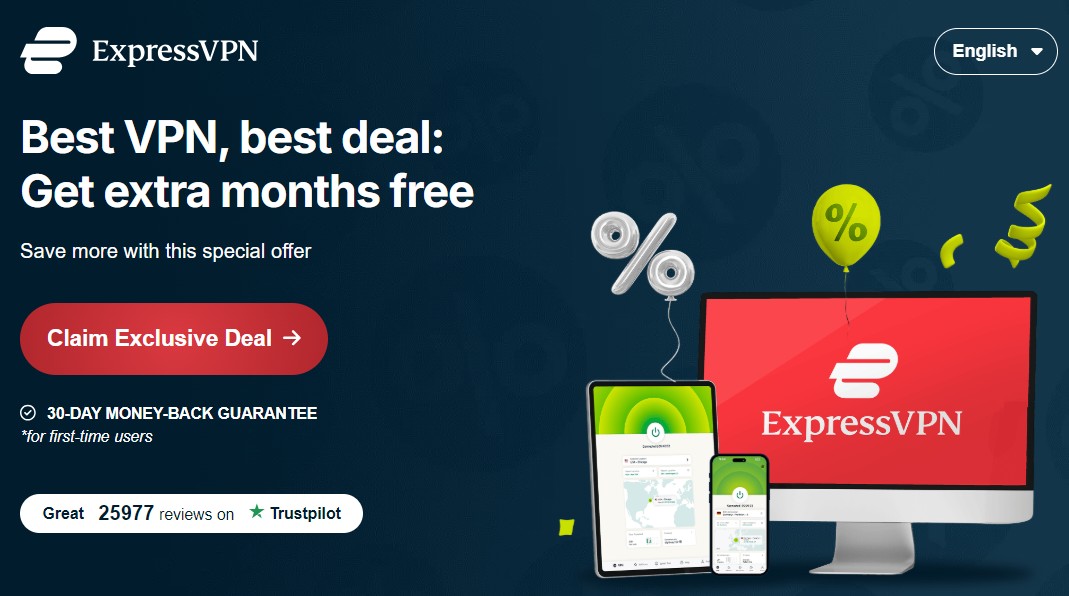
Here, we’ll use the industry-leading service ExpressVPN as an example.
To register with ExpressVPN , click the “Claim Exclusive Deal” button as shown below. After the price plan is shown, follow the instructions.
STEP2. Add Your Subscribed VPN from the Chrome Web Store
After subscribing, navigate to the Chrome Web Store. Use the search bar to find the official extension for the VPN service you chose. It is very important to ensure you are downloading the legitimate extension provided by the VPN company to avoid fraudulent or malicious add-ons.
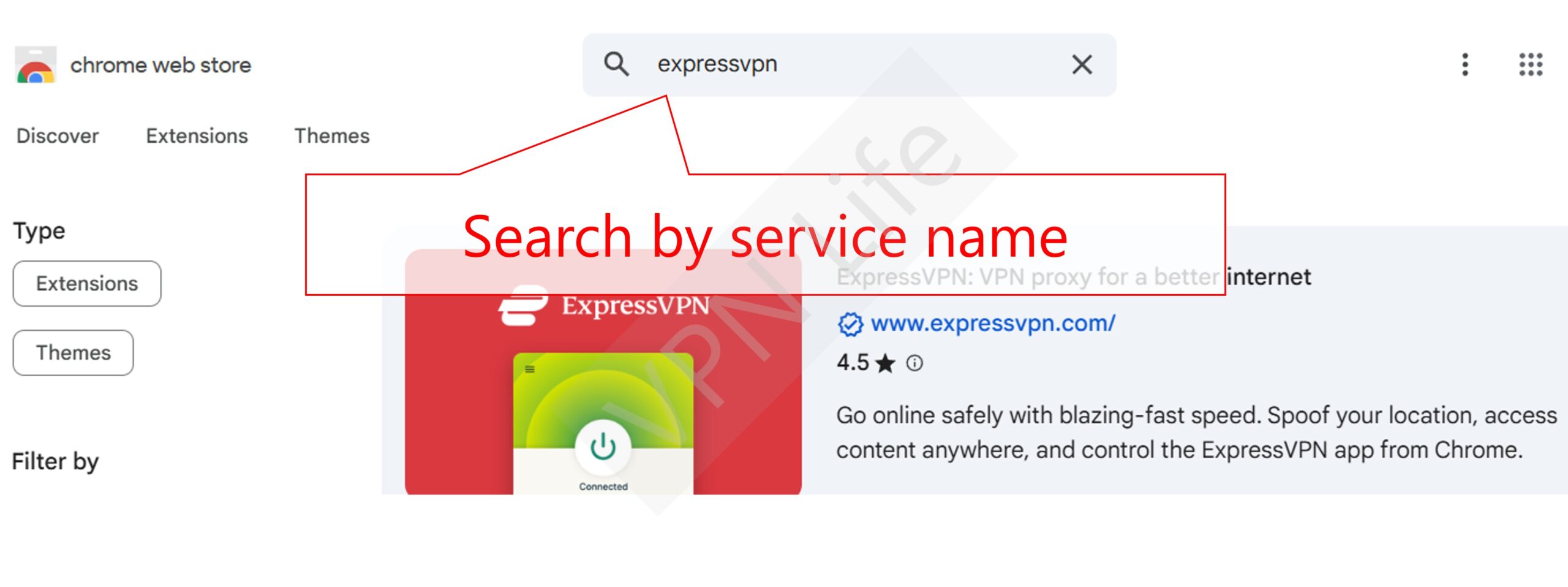
Click the “Add to Chrome” button, and a pop-up will appear asking for permissions. Confirm the installation by clicking “Add extension.”
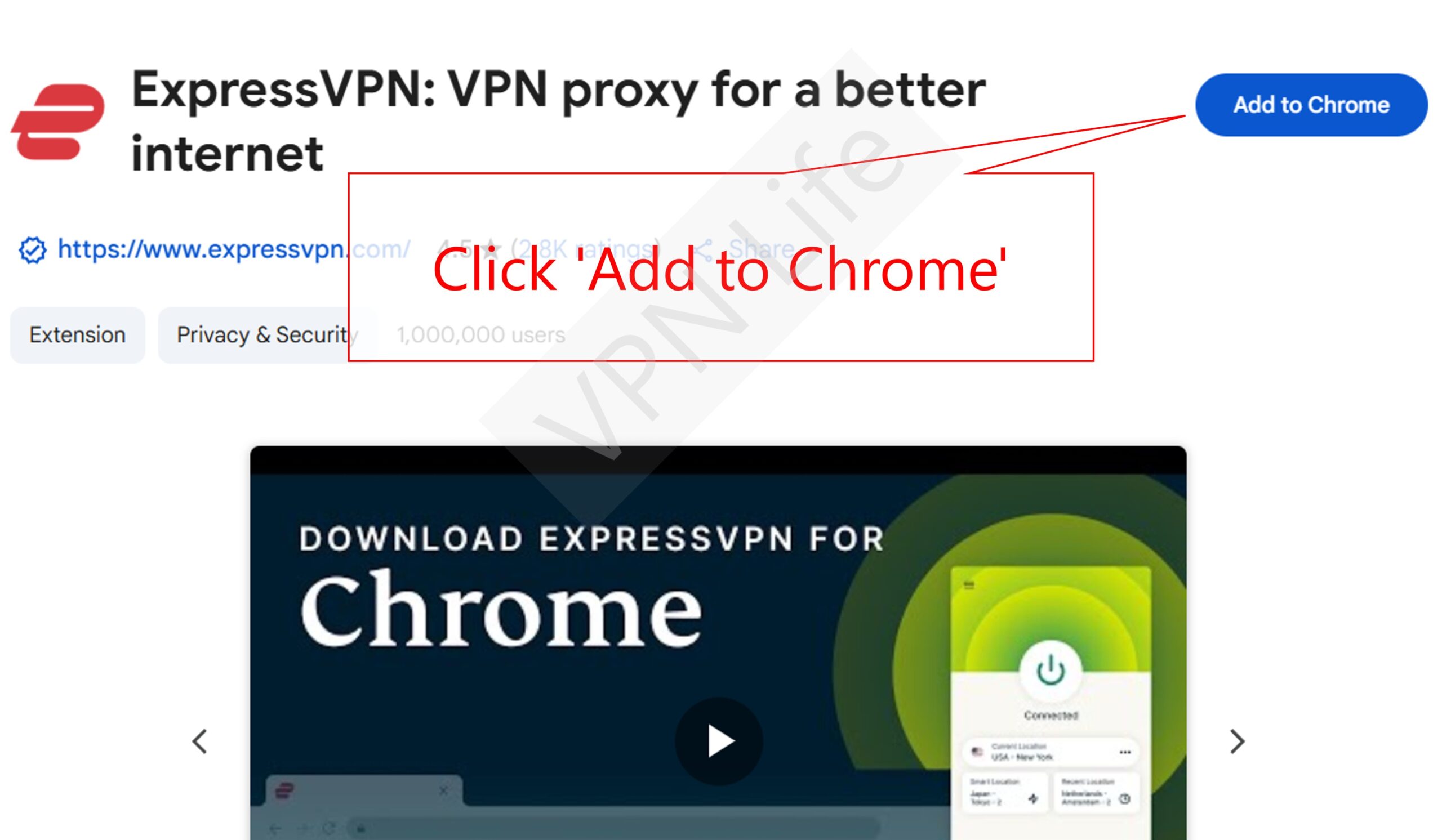
STEP3. Log In and Use the VPN
Once the extension is installed, its icon will appear in your browser’s toolbar, typically next to the address bar. Click on the icon to open the extension’s interface. You will be prompted to log in using the username and password you created when you subscribed to the service. After logging in, you can typically connect to the best available server with a single click or choose a specific server location from a list. Your browser’s traffic is now encrypted and protected by the VPN.
FAQs
Here are answers to some common questions regarding the use of VPN extensions for Chrome.
Are free VPN extensions safe to use?
It is generally not recommended to use free VPN extensions. Operating a secure VPN service requires significant financial investment in server infrastructure and development. Free providers often monetize their services by other means, which can include tracking your browsing activity and selling your data to third parties, or even injecting ads into your browser. Many also lack proper encryption, suffer from data leaks, and have very slow connection speeds. For genuine security and privacy, a reputable paid VPN service is the only reliable option. >> Free VPNs vs. Paid VPNs
Does a browser extension protect my entire computer’s traffic?
No, a VPN browser extension only protects the internet traffic that originates from within the Chrome browser itself. It does not encrypt data from other applications on your computer, such as desktop email clients, other web browsers, or online games. To protect all the traffic from your entire device, you must install and use the full desktop application provided by your VPN service.
Can I watch international streaming services?
Using a premium VPN extension can often allow you to access streaming services from other countries. By connecting to a server in the desired country, you can make it appear as though you are browsing from that location. However, streaming platforms actively work to identify and block VPN traffic. While top-tier VPNs are generally effective at circumventing these blocks, access is not always guaranteed, and you may find that some servers or services do not work consistently.
Conclusion
A VPN extension for Chrome is an excellent tool for securing your browsing activity, offering a convenient and lightweight alternative to a full desktop client. It provides the core benefits of IP masking and traffic encryption directly within your browser. When making your choice, the key is to look beyond mere compatibility and prioritize providers with a strong commitment to security, a strict and audited no-logs policy, and a user-friendly interface. Services like ExpressVPN, NordVPN, and Private Internet Access represent the best options available, each offering a unique balance of performance, features, and value. By investing in a reputable service, you can significantly enhance your online privacy and browse the web with greater peace of mind.