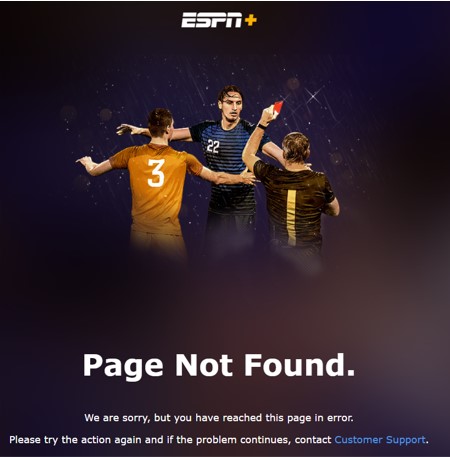
The best VPN service for watching ESPN+ needs to have servers in the US, robust security features, and a reliable reputation. We recommend ExpressVPN, NordVPN, and Surfshark. All three providers offer a 30-day money-back guarantee, allowing you to try them confidently and risk-free.


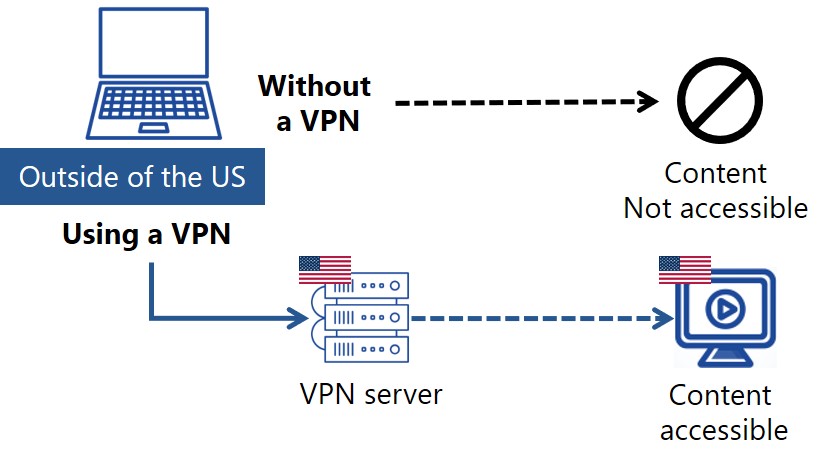
To access ESPN+ when you are outside the US, using a Virtual Private Network (VPN) is essential. By establishing a connection to a server in the US using a VPN service, you can easily watch ESPN+.
- Register with a VPN (We highly recommend ExpressVPN)
- Download and Launch the App and Connect to a Server in the US
- Access and Subscribe to ESPN plus via the US
In this article, we will present our top-recommended VPN services for watching ESPN+ in detail. Additionally, we will show you how to watch and subscribe to ESPN+ from outside the US using a VPN.
Tips to Choose the Best VPN for Watching ESPN plus
There are five important factors to consider when choosing a VPN for watching ESPN+:
- Servers in the US: ESPN+ is geo-restricted to the United States. Therefore, it’s crucial to select a VPN provider that has a wide selection of servers within the US to ensure consistent access.
- Security and Privacy: Choosing a VPN with strong security features is vital for a secure online experience. Look for services that utilize Advanced Encryption Standard (AES) 256-bit encryption, which is considered military-grade. A “kill switch” is another important feature that automatically disconnects your internet if the VPN connection drops, preventing your real IP address from being exposed. Privacy is further enhanced if the VPN provider adheres to a strict no-log policy, ensuring your Browse history is never stored on the VPN server and cannot be retrieved even in the event of a security incident.
- Connection Speed: Encrypting and routing your traffic through VPN servers can potentially slow down your internet connection. This may lead to buffering or poor video quality when watching videos. However, if you use a major paid service, like ExpressVPN and NordVPN, you will rarely notice a significant difference, allowing for smooth, high-definition streaming.
- Popularity: A large user base often indicates a VPN’s reliability and effectiveness. VPNs that lack popularity might struggle with circumventing government restrictions or suffer from unstable connections, which can disrupt your streaming experience.
- Support: Encountering issues when using a VPN is not uncommon. For instance, there might be sudden restrictions on accessing certain websites, or an app update might introduce glitches. During such instances, having responsive and supportive customer service, ideally available 24/7 via live chat, is invaluable for quick problem resolution.
Best VPN Services for Watching ESPN plus from Anywhere (Outside the US)
Here are some excellent VPN services we recommend.
| ExpressVPN | NordVPN | SurfShark | |
| Prices | 1-Month: $13.99 12-Months: $5.99/month 24-Months: $4.49/month | 1-Month: $11.99 12-Months: $4.99/month 24-Months: $3.99/month | 1-Month: $12.95 12-Months: $3.99/month 24-Months: $2.39/month |
| Money-back Guarantee | 30 days | 30 days | 30 days |
| Countries | 105 | 118 | 100 |
| Total Number of Servers | 3,000+ | 7,000+ | 3,200+ |
| Servers in the US | Yes | Yes | Yes |
| Connection Speed | Ultra Fast | Fast | Fast |
| Security | AES-256 Kill Switch | AES-256 Kill Switch | AES-256 Kill Switch |
| Privacy | No-logging | No-logging | No-logging |
| Support | 24/7 Live Chat Support | 24/7 Live Chat Support | 24/7 Live Chat Support |
| Maximum devices supported | 12 | 10 | Unlimited |
ExpressVPN: Ultra-fast Internet Speeds
| Prices | 1-Month: $13.99 12-Months: $5.99/month 24-Months: $4.49/month |
| Money-back Guarantee | 30 days |
| Countries | 105 |
| Total Number of Servers | 3,000+ |
| Security | AES-256 Kill Switch |
| Maximum devices supported | 12 |
ExpressVPN offers some of the fastest internet speeds among the VPNs we have used. All VPNs may slow down your internet connection, but ExpressVPN is one of the fastest, and you rarely notice the difference. Review sites consistently rank ExpressVPN as one of the fastest VPNs. Additionally, with over 3,000 servers in 105 countries, you have a wide choice of countries to change IP addresses to. Real humans are available 24-hour live chat support to help you with setup and troubleshooting. ExpressVPN also has a no-log policy.
After you’ve registered with ExpressVPN, you can use it to easily browse the internet just by downloading their app.
- Place a high importance on internet speed
\30 day Money-Back Guarantee/
NordVPN: The Ultimate Balance of Price and Internet Speed
| Prices (standard plan) | 1-Month: $11.99 12-Months: $4.99/month 24-Months: $3.99/month |
| Money-back Guarantee | 30 days |
| Countries | 118 |
| Total Number of Servers | 7,000+ |
| Security | AES-256 Kill Switch |
| Maximum devices supported | 10 |
NordVPN’s excellent service, and balance of price, internet speed, servers, and countries, has allowed it to gain the greatest market share in the world. Overall, NordVPN consistently receives great reviews from leading experts. NordVPN has more than 7,000 servers in 118 countries, so you also have a lot of choices for which country to change your IP address to. You can et help and advice from our friendly customer support team through email or live chat for your 24/7. And NordVPN also has a no-log policy.
After you’ve registered, you can easily browse the internet using NordVPN just by downloading their app.
- Want to balance price and internet speed
\30 day Money-Back Guarantee/
Surfshark: Impressive Performance with a Lower Price
| Prices (standard plan) | 1-Month: $12.95 12-Months: $3.99/month 24-Months: $2.39/month |
| Money-back Guarantee | 30 days |
| Countries | 100 |
| Total Number of Servers | 3,200+ |
| Security | AES-256 Kill Switch |
| Maximum devices supported | Unlimited |
Surfshark offers impressive performance with a lower price. You can get Surfshark much cheaper than other services if you apply for the 24-month plan. Furthermore, Surfshark has no connection limits. So, you and your family can connect and use all your devices simultaneously. Surfshark has more than 3,200 servers in 100 countries. Just like the other VPNs, you also have a lot of choices for which country to change your IP address to. Customer support experts are there for you 24/7, if you need a helping hand with them via live chat or email. And SurfsharkVPN also has a no-log policy.
After you’ve registered, you can easily browse the internet using Surfshark by downloading their app.
- Who are budget conscious and want to want to connect with lots of devices
\30 day Money-Back Guarantee/
How to Watch ESPN plus from Anywhere (Outside the US)
Here are the steps to access ESPN plus using a VPN:
- Register with a VPN (We highly recommend ExpressVPN)
- Download and Launch the App and Connect to a Server in the US
- Access and Subscribe to ESPN plus via the US
Step 1: Sign up for ExpressVPN
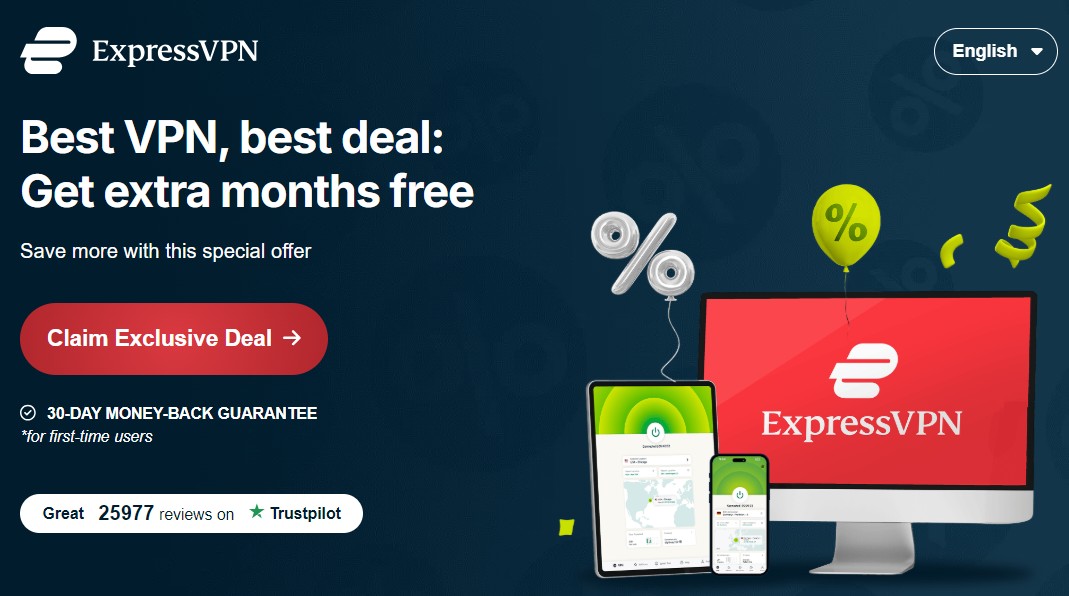
To register with ExpressVPN, click the “Claim Exclusive Deal” button as shown below. After the price plan is shown, follow the instructions.
STEP2. Download the app and connect to a Server in the US
After registering with ExpressVPN, download and launch the app. Next, click “…” in the app and type “United States” in the search box.
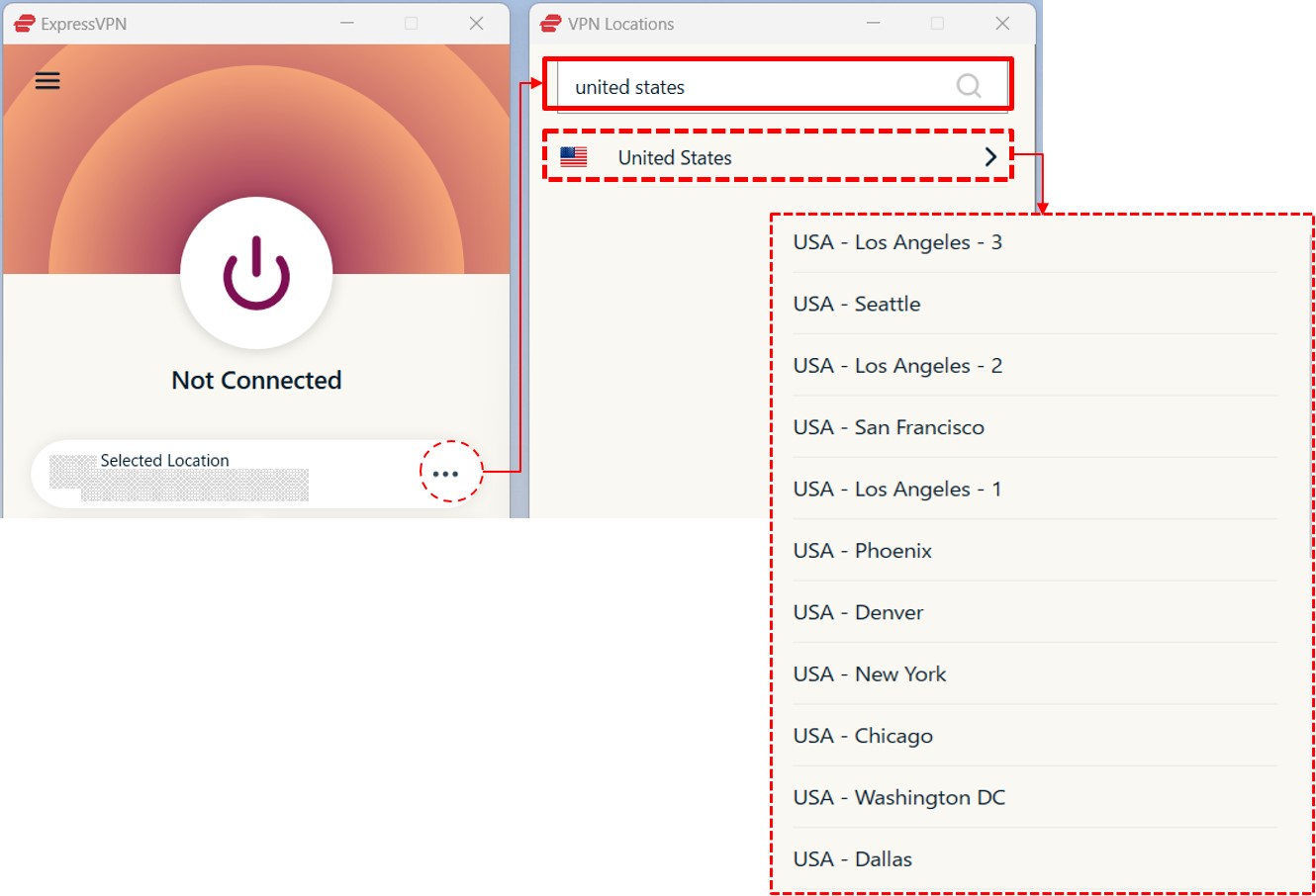
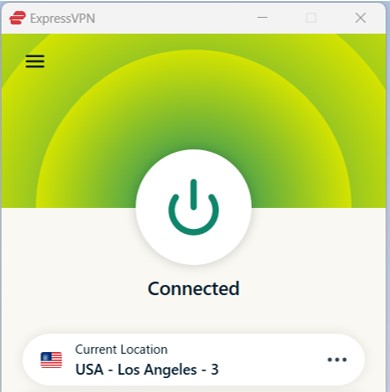
Select a server and click the power icon in the middle. Now, you can connect to a server in the US.
STEP3. Access and Subscribe to ESPN plus via the US
Access the ESPN plus.
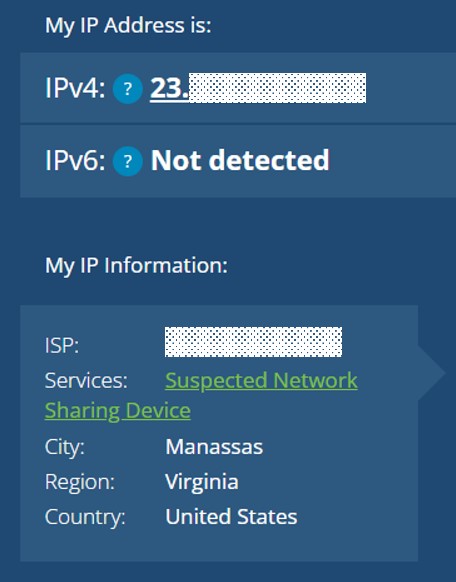
You need to access ESPN plus while connected to a server the US, so that ESPN plus will treat you as if you are accessing it from the US.
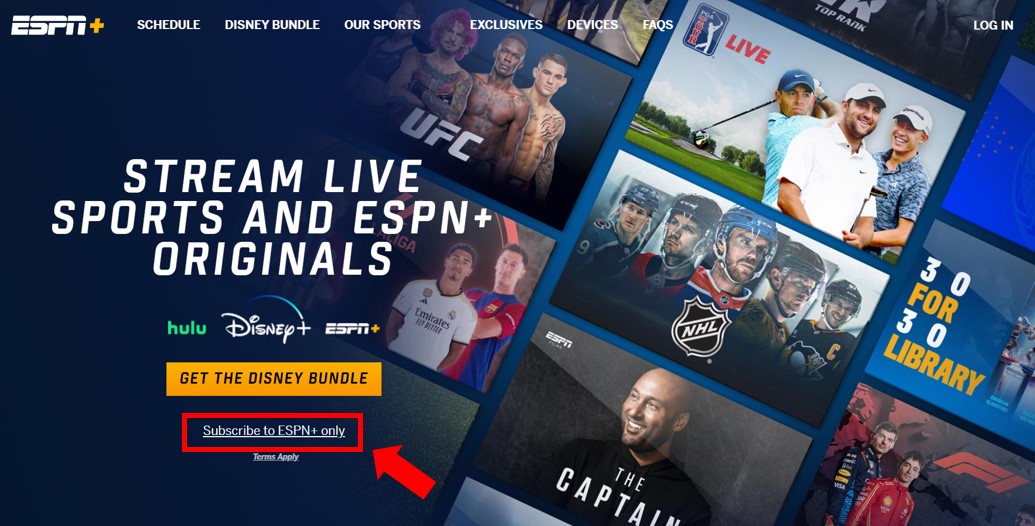
Click on “Subscribe to ESPN+ only” if you wish to subscribe solely to ESPN plus.
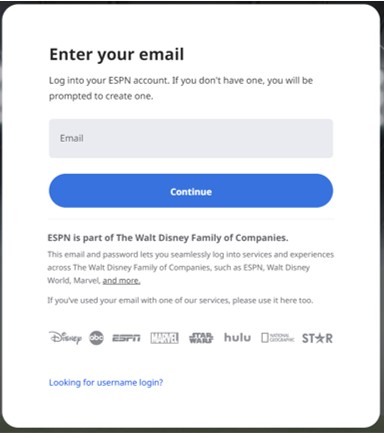
When prompted, enter your email address.
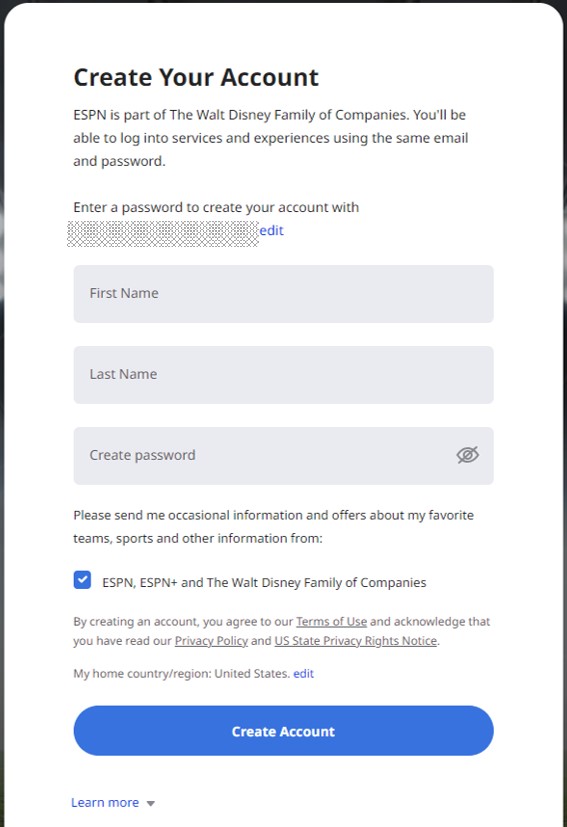
Next, fill in your “First Name,” “Last Name,” and create a “Password.”
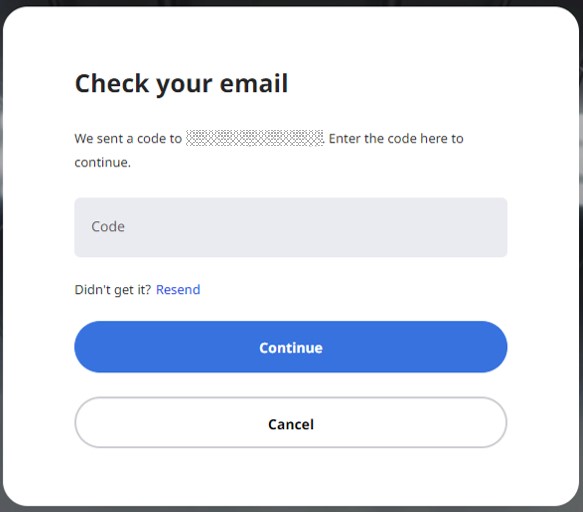
A passcode will be sent to the email address you provided. Use this to verify your email.
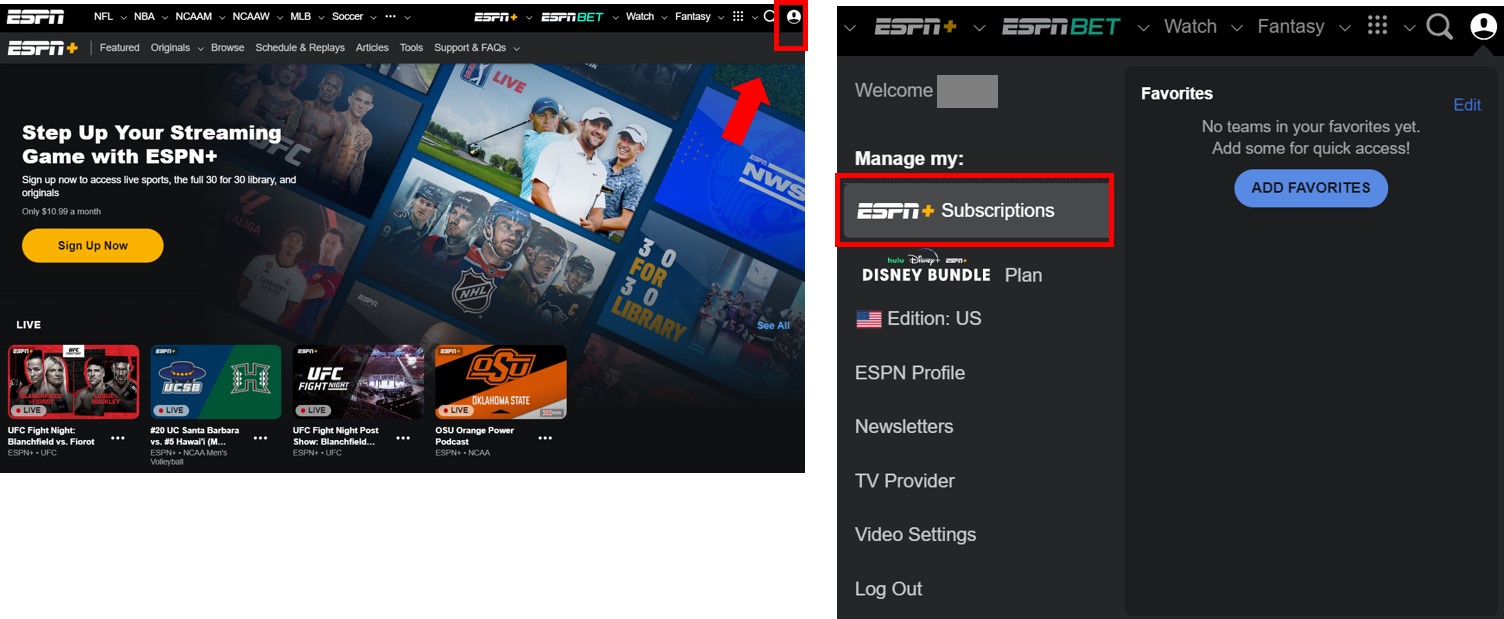
After verification, you’ll be redirected to the homepage. Log in and click on your Profile picture at the top right corner of the page. Then, select “ESPN+ Subscriptions” to choose your payment method. ESPN+ offers a monthly subscription for $10.99 or an annual subscription for $109.99. Subscriptions can be purchased using credit or debit cards, or PayPal.
Be sure to check there as well, as FAQs and additional help videos are available.