
There are four primary methods to unblock websites: using a VPN, a proxy server, the Tor browser, and Smart DNS. Of these, a VPN is often the simplest solution. In this article, we’ll explain these four methods, detail how to use a VPN service, and provide our top recommendations.


Why Are Some Websites Unavailable in My Country?
Websites may be unavailable in your country for two common reasons:
- Content owners have chosen to make their content available only in specific countries or regions (usually due to licensing agreements).
- Certain websites or content are blocked to comply with local laws.
This practice of restricting access to content based on your geographic location is known as geo-blocking. For example, global streaming services like Netflix and Amazon Prime offer different libraries of content depending on the country.
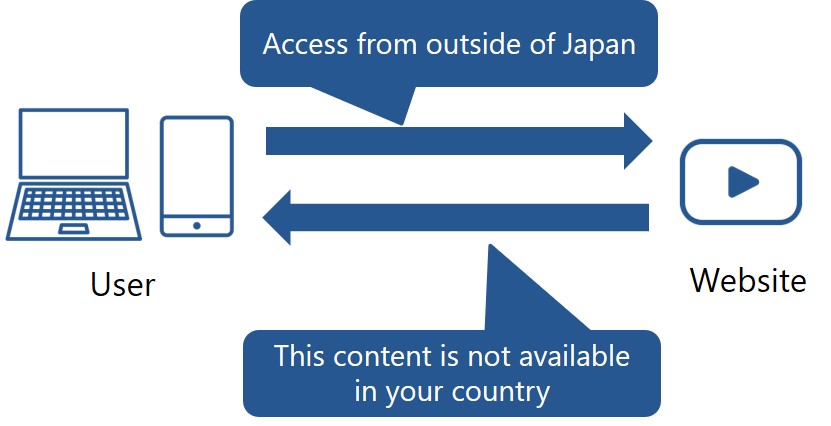
If you try to access a website that is unavailable in your location, you may see a message like this:
This video is unavailable in your country
In the case of YouTube, accessing a video that is not available in your country will display the following screen.

How Do Websites Block Access?
Websites determine your location by reading your IP address. They then use this information to decide what content you are allowed to see. This can also affect the display language and pricing.
For example, here is an IP address from an internet provider in the US.
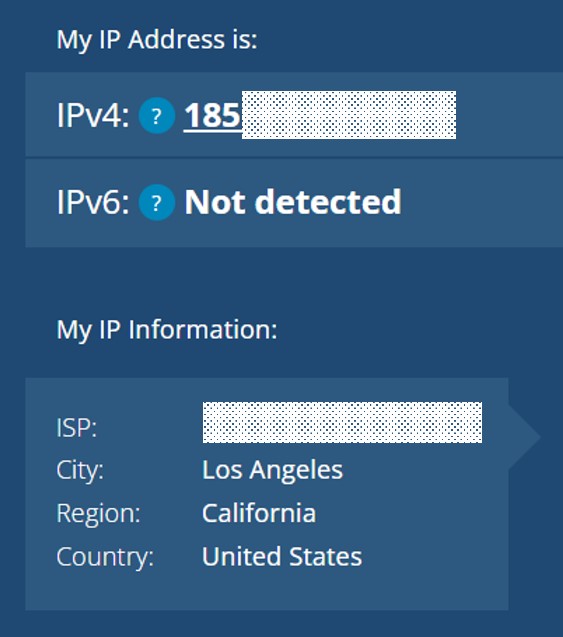
If you tried to access a website restricted to Japan with this IP address, you would be blocked from viewing its content.
Four Ways to Unblock Geo-Restricted Websites
There are four common methods for accessing websites that are blocked in your country.
- Use a VPN
- Use a Proxy Server
- Use the Tor Browser
- Use Smart DNS
1. Use a VPN
A VPN (Virtual Private Network) secures the connection between your device and the internet by routing your activity through an encrypted tunnel. This keeps your online activity private and protects your data from hackers.
A VPN also changes your IP address, which is key to unblocking content. By connecting to a VPN server in a different country, you can access websites as if you were physically there. For example, if you are outside of Japan, you can connect to a server in Japan to access content that is exclusive to that country.

| Pros of Using a VPN | Cons of Using a VPN |
| Easy to use via a simple app Strong privacy and security features Large user base and support community Offers benefits beyond just unblocking sites | Requires a paid subscription |
Once you sign up for a VPN, you simply download the provider’s app to get started.
While free VPNs exist, we recommend paid services for privacy and security. The data logging policies of free VPNs can be unclear, creating a potential risk. Paid services are affordable, typically costing between $2.50 and $7.00 per month. For more details, please see the article below.
2. Use a Proxy Server
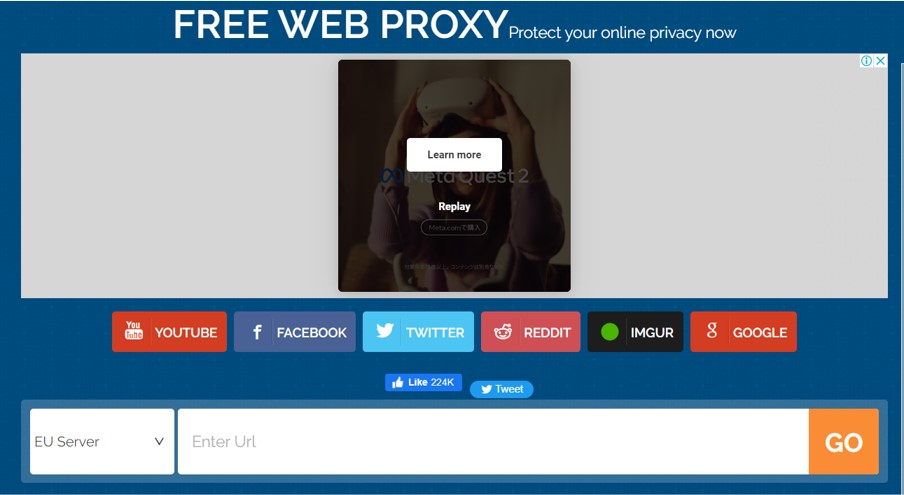
A proxy server acts as an intermediary between your device and the websites you visit. It connects to websites on your behalf, masking your real IP address in the process. Unlike a VPN, a proxy server doesn’t require software installation and can be accessed through your web browser.
However, the main drawback is security. Most proxy servers do not encrypt your traffic, which can leave your data exposed.
| Pros of Using a Proxy Server | Cons of Using a Proxy Server |
| No software installation required | Security concerns, especially with free services Often has a limited number of server locations |
3. Use the Tor Browser
Tor is a free, secure web browser, similar to Chrome or Edge, that provides a high degree of anonymity. It achieves this by encrypting your traffic and routing it through multiple servers on the volunteer-run Tor network, effectively hiding your IP address.
The main disadvantage is speed. This multi-layered encryption process can significantly slow down your connection, making it difficult to stream video or download large files.
| Pros of Using Tor | Cons of Using Tor |
| Free to use and highly anonymous | Significantly slower connection speeds Potential for traffic to pass through malicious servers |
4. Use Smart DNS
Smart DNS is a technology designed primarily for accessing geo-restricted streaming content. It works by rerouting your device’s DNS requests through a server in another country, making it appear as though you are Browse from that location.
Smart DNS does not encrypt your traffic, so it is generally faster than a VPN, making it a good option for streaming or online gaming. However, this lack of encryption makes it less secure and it is not as versatile as a VPN for unblocking different types of websites.
| Pros of using smart DNS | Cons of using smart DNS |
| Fast connection speed | Lacks encryption and security features Limited to unblocking specific, pre-approved websites |
How to Unblock a Website with a VPN: An Example
If you try to access the UK streaming service ITVX from outside the country, you will see an error message that says, “Sorry, this show isn’t available right now.”

After registering with ExpressVPN, download and launch the app and connect to a VPN server in the UK. Click the power icon in the middle. Now, you can connect to a server in the UK easily.
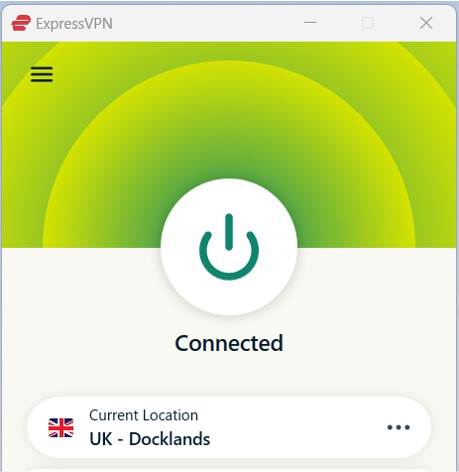
Once connected, you will be able to stream the content without restrictions.

For a more detailed guide, please refer to the following article.

Recommended VPNs for Unblocking Websites
Here are our top recommendations for VPN services that excel at unblocking content.
| ExpressVPN | NordVPN | SurfShark | |
| Prices | 1-Month: $13.99 12-Months: $5.99/month 24-Months: $4.49/month | 1-Month: $11.99 12-Months: $4.99/month 24-Months: $3.99/month | 1-Month: $12.95 12-Months: $3.99/month 24-Months: $2.39/month |
| Money-back Guarantee | 30 days | 30 days | 30 days |
| Countries | 105 | 118 | 100 |
| Servers | 3,000+ | 7,000+ | 3,200+ |
| Maximum devices supported | 12 | 10 | Unlimited |
| Connection Speed | Ultra Fast | Fast | Fast |
| Security | AES-256 Kill Switch | AES-256 Kill Switch | AES-256 Kill Switch |
| Privacy | No-logging | No-logging | No-logging |
| Support | 24/7 Live Chat Support | 24/7 Live Chat Support | 24/7 Live Chat Support |
ExpressVPN: Ultra-fast Internet Speeds
| Prices | 1-Month: $13.99 12-Months: $5.99/month 24-Months: $4.49/month |
| Money-back Guarantee | 30 days |
| Countries | 105 |
| Servers | 3,000+ |
| Maximum devices supported | 12 |
ExpressVPN offers some of the fastest internet speeds among the VPNs we have used. All VPNs may slow down your internet connection, but ExpressVPN is one of the fastest, and you rarely notice the difference. Review sites consistently rank ExpressVPN as one of the fastest VPNs. Additionally, with over 3,000 servers in 105 countries, you have a wide choice of countries to change IP addresses to. Real humans are available 24-hour live chat support to help you with setup and troubleshooting. ExpressVPN also has a no-log policy.
After you’ve registered with ExpressVPN, you can use it to easily browse the internet just by downloading their app.
- Excellent speed and stability
- Fast and user-friendly app
- Strict no-logs policy
- Wide range of server countries
- Accepts Bitcoin payments
- Slightly more expensive than competitors
- Place a high importance on internet speed
\30 day Money-Back Guarantee/
NordVPN: The Ultimate Balance of Price and Internet Speed
| Prices (standard plan) | 1-Month: $11.99 12-Months: $4.99/month 24-Months: $3.99/month |
| Money-back Guarantee | 30 days |
| Countries | 118 |
| Servers | 7,000+ |
| Maximum devices supported | 10 |
NordVPN’s excellent service, and balance of price, internet speed, servers, and countries, has allowed it to gain the greatest market share in the world. Overall, NordVPN consistently receives great reviews from leading experts. NordVPN has more than 5,800 servers in 60 countries, so you also have a lot of choices for which country to change your IP address to. You can et help and advice from our friendly customer support team through email or live chat for your 24/7. And NordVPN also has a no-log policy.
After you’ve registered, you can easily browse the internet using NordVPN just by downloading their app.
- World's most popular VPN by new user subscriptions
- Large number of available servers
- Competitive pricing
- Strict no-logs policy
- User-friendly dedicated apps
- Accepts cryptocurrency payments
- Short-term plans can be relatively costly
- Want to balance price and internet speed
\30 day Money-Back Guarantee/
Surfshark: Impressive Performance with a Lower Price
| Prices (standard plan) | 1-Month: $12.95 12-Months: $3.99/month 24-Months: $2.39/month |
| Money-back Guarantee | 30 days |
| Countries | 100 |
| Servers | 3,200+ |
| Maximum devices supported | Unlimited |
Surfshark offers impressive performance with a lower price. You can get Surfshark much cheaper than other services if you apply for the 24-month plan. Furthermore, Surfshark has no connection limits. So, you and your family can connect and use all your devices simultaneously. Surfshark has more than 3,200 servers in 100 countries. Just like the other VPNs, you also have a lot of choices for which country to change your IP address to. Customer support experts are there for you 24/7, if you need a helping hand with them via live chat or email. And SurfsharkVPN also has a no-log policy.
After you’ve registered, you can easily browse the internet using Surfshark by downloading their app.
- Affordable price (cheaper than NordVPN & ExpressVPN)
- Unlimited simultaneous connections (ideal for families)
- Large number of available servers
- Speeds comparable to top-tier providers
- Strict no-logs policy
- Accepts cryptocurrency payments
- Less effective at bypassing geo-restrictions
- Limited service history / Less established
- Who are budget conscious and want to want to connect with lots of devices
\30 day Money-Back Guarantee/
Conclusion
Here is a summary of what we’ve covered:
- Geo-blocking is a mechanism used to restrict access to online content based on a user’s geographic location.
- It works by detecting a user’s IP address.
- There are four main ways to bypass these restrictions: using a VPN, a proxy server, the Tor browser, or Smart DNS.
- For most users, a VPN offers the best combination of security, reliability, and ease of use.