
To bypass MLB.TV blackouts, a Virtual Private Network (VPN) is crucial. By connecting to a server in an appropriate US region, a VPN service enables you to effortlessly bypass MLB.TV blackout restrictions.
- Subscribe to a VPN (We highly recommend ExpressVPN)
- Download and Launch the App and Connect to a Server in the Appropriate US Region
- Access MLB.TV via Chosen US Region
This article provides a step-by-step guide on how to circumvent blackouts and enjoy uninterrupted MLB.TV streaming, including VPN recommendations.


Why Isn’t MLB.TV Accessible Outside Specific Areas? – Understanding Blackout Restrictions
The inability to watch certain games on MLB.TV is primarily due to Major League Baseball’s specific broadcasting restrictions and blackout rules. These rules are in place because regional sports networks (RSNs) and local broadcasters hold exclusive distribution rights to games within their designated territories. This means that if a game is being broadcast by a local network in your area, MLB.TV is legally obligated to “black out” (prevent you from streaming) that live game to protect those local broadcasting rights.
According to the official MLB.TV Help Center:
MLB.TV Blackout Policy
Due to certain Major League Baseball exclusivities, select regular season, special event, and Postseason games are unavailable on MLB.TV domestically and internationally.
In addition, note:
・Home television territory blackout restrictions apply regardless of whether a Club is home or away and regardless of whether or not a game is televised in a Club’s home television territory.
Source: MLB.TV Help Center
・Clubs located within the United States may be subject to home television territory blackout restrictions that may expand to outside of the United States.
・All San Francisco Giants and Oakland Athletics live games will be blacked out in the U.S. territory of Guam.
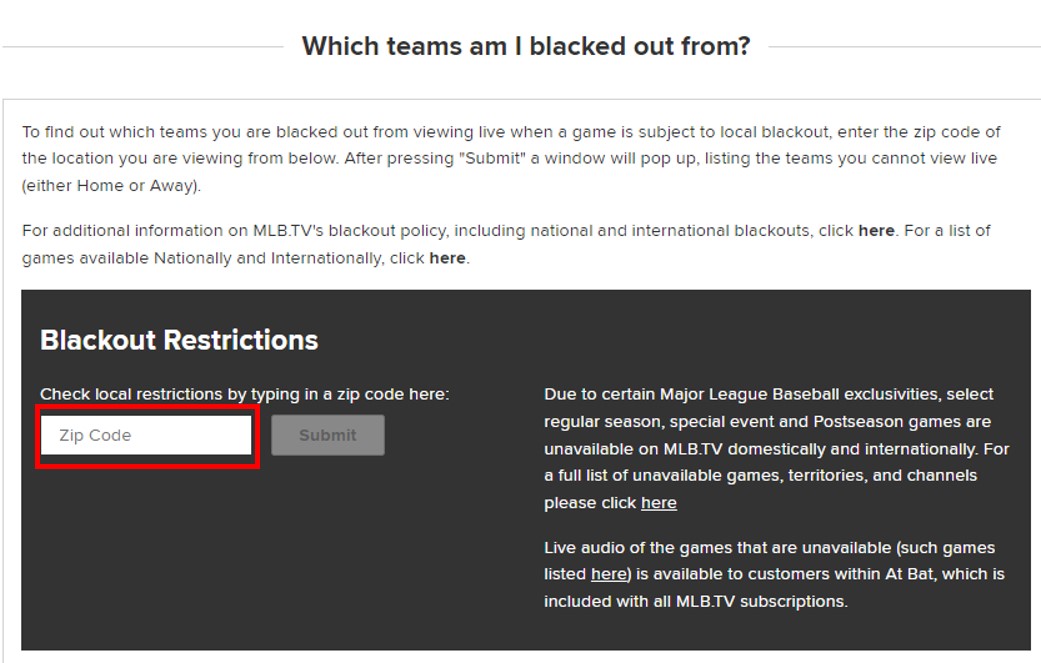
You can determine which games are subject to blackout restrictions in your specific area by entering your Zip Code on the MLB.TV Help Center.
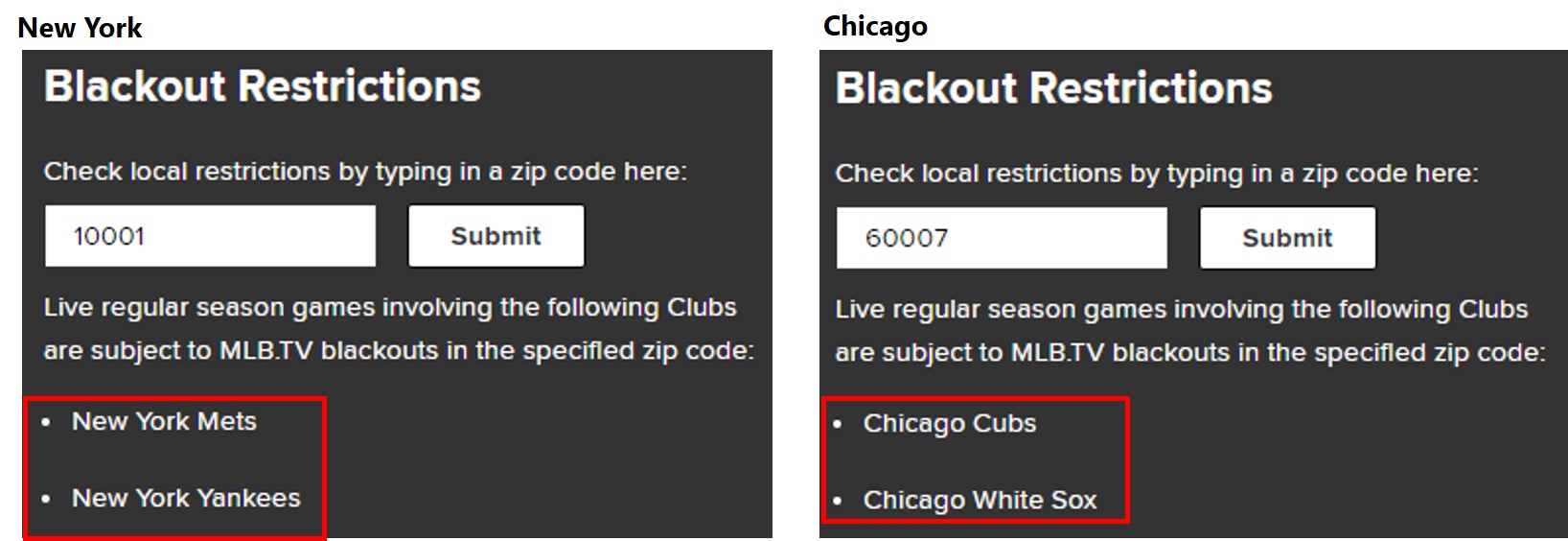
For instance:
- Viewers with a New York Zip Code (e.g., 10001) are unable to watch live Yankees or Mets games on MLB.TV because local broadcasters have exclusive rights in that market.
- Conversely, those with a Chicago Zip Code (e.g., 60007) can access Yankees and Mets games but are blocked from streaming Chicago Cubs and Chicago White Sox games due to Chicago’s local blackout rules.
These blackouts are designed to encourage local viewership through traditional TV channels and attendance at games, thus protecting the revenue streams of local broadcasters and teams.
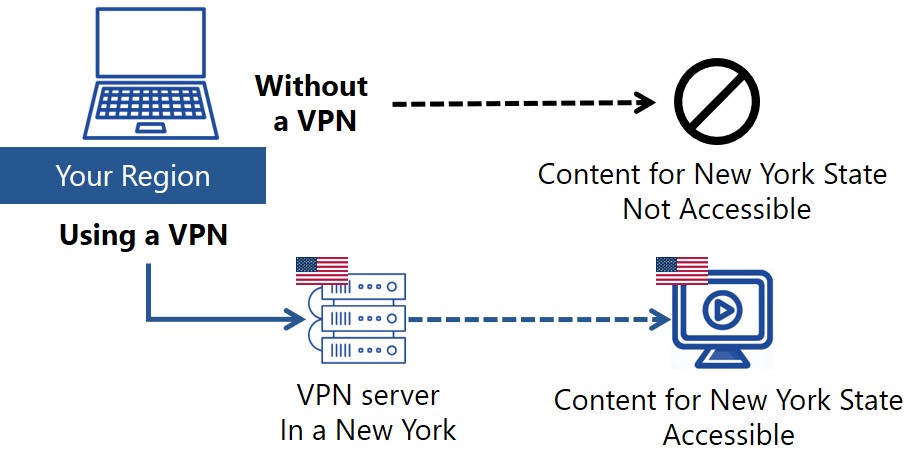
How Does a VPN Enable You to Bypass MLB.TV Blackouts?
Using a VPN allows you to mask your location and access as if you were in a different region. MLB.TV determines which content to display based on your IP address. For instance, if you try to access the site from outside New York, the New York-specific content will be blocked. However, by connecting through a VPN server located in New York, you will appear to be accessing from within the state, allowing you to view content that is normally restricted to New York residents.
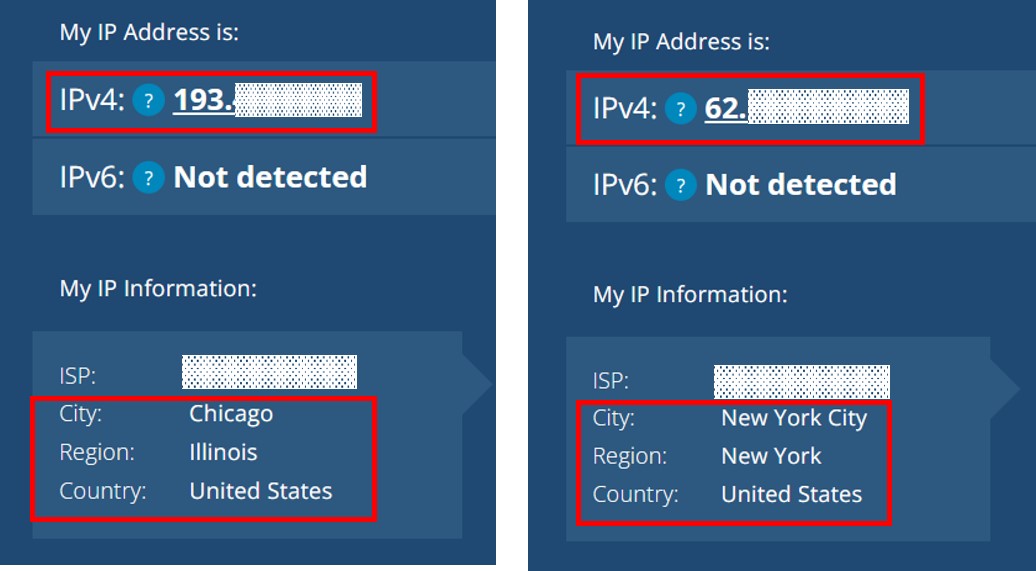
On the left is the IP address via the VPN server in Chicago, and on the right is the IP address via the VPN server in New York.
How to Bypass Blackouts and Watch MLB.TV with a VPN
Here are the steps to access MLB.TV using a VPN:
- Subscribe to a VPN (We highly recommend ExpressVPN)
- Download and Launch the App and Connect to a Server in the Appropriate US Region
- Access MLB.TV via Chosen US Region
Step 1: Sign up for ExpressVPN
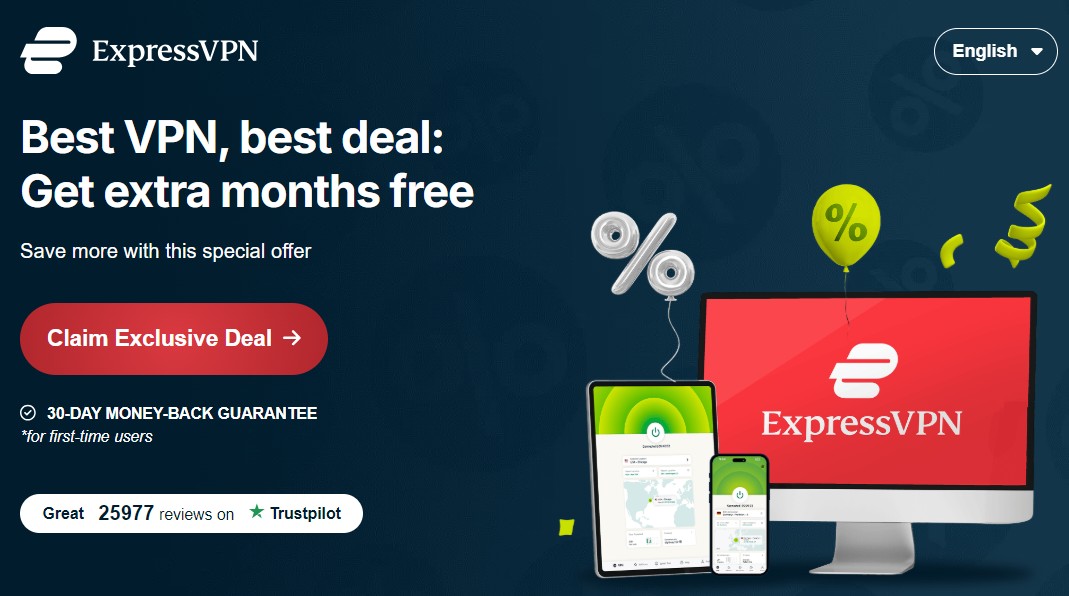
To register with ExpressVPN, click the “Claim Exclusive Deal” button as shown below. After the price plan is shown, follow the instructions.
STEP2. Download the app and connect to a Server in the Appropriate US Region
After signing up for ExpressVPN, download, install, and open the app. Next, click on “…” within the app and enter “United States” in the search box. You will then be able to select a specific region. Choose a server and click the power icon to establish a connection to a server within the US.
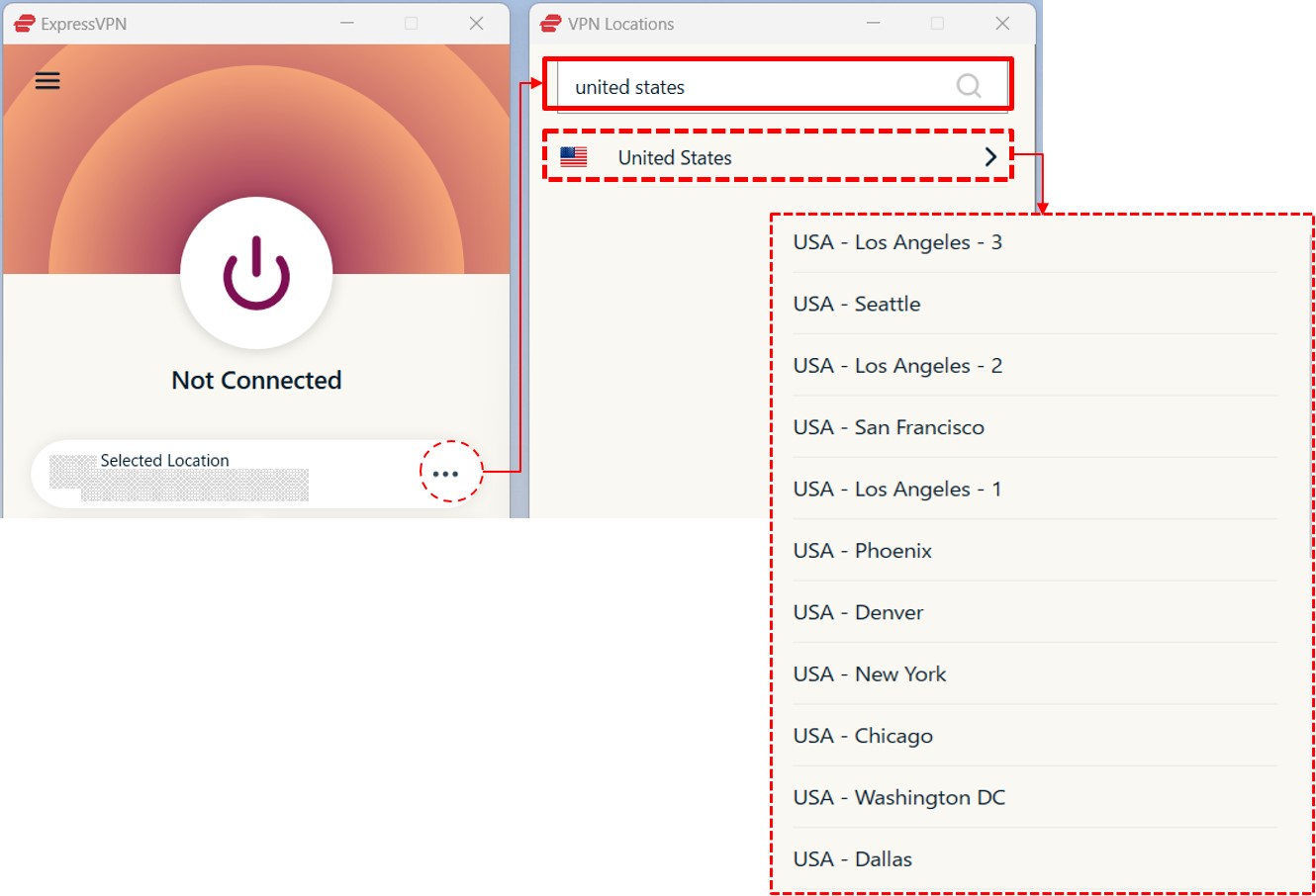
If you reside in New York State and wish to watch New York Mets games, connect to a VPN server located in Chicago, Colorado, or Dallas, Texas, where the New York Mets games are not subject to blackout restrictions. Wondering which games are restricted in your area? Refer to the table below, which provides examples based on ZIP Codes. Please click here to check the blackout restrictions for your own ZIP Code.
Examples of MLB.TV’s List of Blackouts
| State | Largest City | Zip Code | Blackout Restrictions |
|---|---|---|---|
| Alabama | Huntsville | 35649 | Atlanta Braves |
| Alaska | Anchorage | 99501 | Seattle Mariners |
| Arizona | Phoenix | 85001 | Arizona Diamondbacks |
| Arkansas | Little Rock | 72002 | Houston Astros Kansas City Royals St. Louis Cardinals Texas Rangers |
| California | Los Angeles | 90001 | Los Angeles Angels Los Angeles Dodgers |
| Colorado | Denver | 80014 | Colorado Rockies |
| Connecticut | Bridgeport | 06601 | New York Mets New York Yankees |
| Delaware | Wilmington | 28401 | Baltimore Orioles Washington Nationals |
| Florida | Jacksonville | 32034 | Tampa Bay Rays Miami Marlins |
| Georgia | Atlanta | 30033 | Atlanta Braves |
| Hawaii | Honolulu | 96795 | Los Angeles Angels Los Angeles Dodgers Oakland Athletics San Diego Padres San Francisco Giants |
| Idaho | Boise | 83701 | Seattle Mariners |
| Illinois | Chicago | 60007 | Chicago Cubs Chicago White Sox |
| Indiana | Indianapolis | 46201 | Chicago Cubs Cincinnati Reds Chicago White Sox |
| Iowa | Des Moines | 50047 | Chicago Cubs Kansas City Royals St. Louis Cardinals Minnesota Twins Chicago White Sox Milwaukee Brewers |
| Kansas | Wichita | 67052 | Kansas City Royals |
| Kentucky | Louisville | 40018 | Cincinnati Reds |
| Louisiana | New Orleans | 70032 | Houston Astros Texas Rangers |
| Maine | Portland | 04019 | Boston Red Sox |
| Maryland | Baltimore | 21201 | Baltimore Orioles Washington Nationals |
| Massachusetts | Boston | 02108 | Boston Red Sox |
| Michigan | Detroit | 48127 | Detroit Tigers |
| Minnesota | Minneapolis | 55111 | Minnesota Twins |
| Mississippi | Jackson | 39056 | Atlanta Braves |
| Missouri | Kansas City | 64030 | Kansas City Royals |
| Montana | Billings | 59101 | Seattle Mariners |
| Nebraska | Omaha | 68007 | Kansas City Royals |
| Nevada | Las Vegas | 88901 | Los Angeles Angels Arizona Diamondbacks Los Angeles Dodgers Oakland Athletics San Diego Padres San Francisco Giants |
| New Hampshire | Manchester | 03101 | Boston Red Sox |
| New Jersey | Newark | 07101 | New York Mets New York Yankees |
| New Mexico | Albuquerque | 87101 | Arizona Diamondbacks Colorado Rockies |
| New York | New York City | 10001 | New York Mets New York Yankees |
| North Carolina | Charlotte | 28105 | Baltimore Orioles Cincinnati Reds Washington Nationals Atlanta Braves |
| North Dakota | Fargo | 58102 | Minnesota Twins |
| Ohio | Columbus | 43004 | Cincinnati Reds Cleveland Guardians Pittsburgh Pirates |
| Oklahoma | Oklahoma City | 73008 | Houston Astros Kansas City Royals St. Louis Cardinals Texas Rangers |
| Oregon | Portland | 97035 | Seattle Mariners |
| Pennsylvania | Philadelphia | 19019 | Philadelphia Phillies |
| Rhode Island | Providence | 02860 | Boston Red Sox |
| South Carolina | Charleston | 29401 | Atlanta Braves |
| South Dakota | Sioux Falls | 57101 | Minnesota Twins |
| Tennessee | Nashville | 37011 | Cincinnati Reds Atlanta Braves |
| Texas | Houston | 77001 | Houston Astros Texas Rangers |
| Utah | Salt Lake City | 84044 | Arizona Diamondbacks Colorado Rockies |
| Vermont | Burlington | 05401 | Boston Red Sox |
| Virginia | Virginia Beach | 23450 | Baltimore Orioles Washington Nationals |
| Washington | Seattle | 98101 | Seattle Mariners |
| West Virginia | Charleston | 29401 | Atlanta Braves |
| Wisconsin | Milwaukee | 53201 | Milwaukee Brewers |
| Wyoming | Cheyenne | 82001 | Colorado Rockies |
| – | Washington DC | 20001 | Baltimore Orioles Washington Nationals |
STEP3. Access MLB.TV via the Chosen US Region
Access the MLB.TV.
You need to access the website while connected to a server the region of the US, so that the website will treat you as if you are accessing it from the region of the US.
How to Subscribe to MLB.TV
Here are the steps to Subscribe to MLB.TV using a VPN. MLB.TV offer a 7-day free trial, allowing you to explore their offerings during this period.
- Choose Your Plan on MLB.TV
- Register Your Account
- Enter Your Payment Method
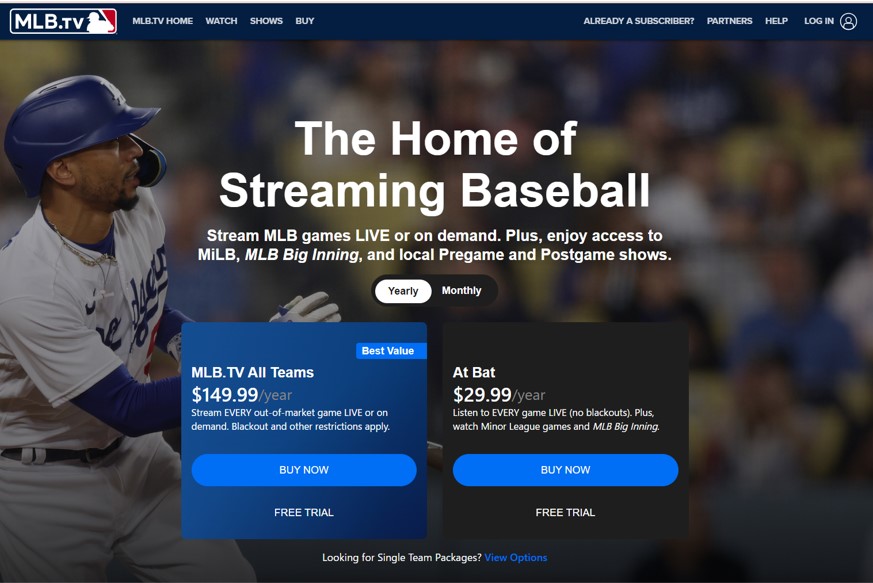
STEP1. Choose Your Plan on MLB.TV
Navigate to MLB.TV and select the plan you’re interested in. Click the “BUY NOW” button to proceed.
STEP2. Register Your Account
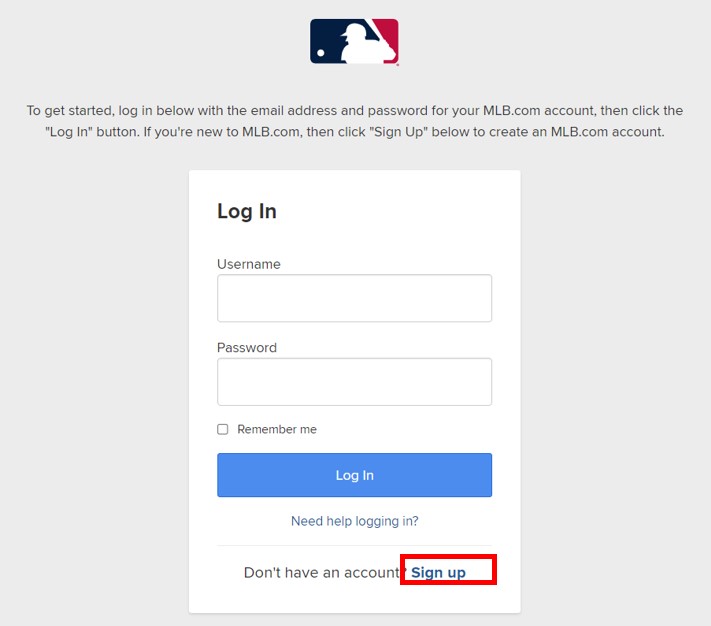
You’ll be taken to the login screen. Click “Sign Up” in the lower right corner.
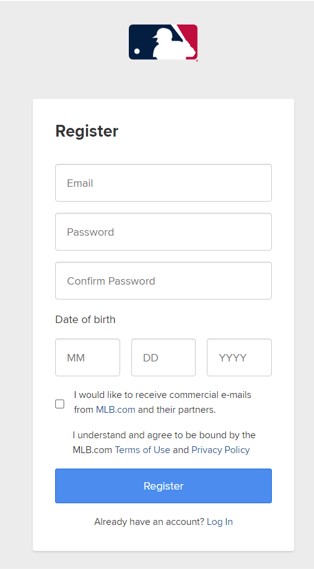
Enter your email, password, and date of birth, then click “Register.”
STEP3. Enter Your Payment Method
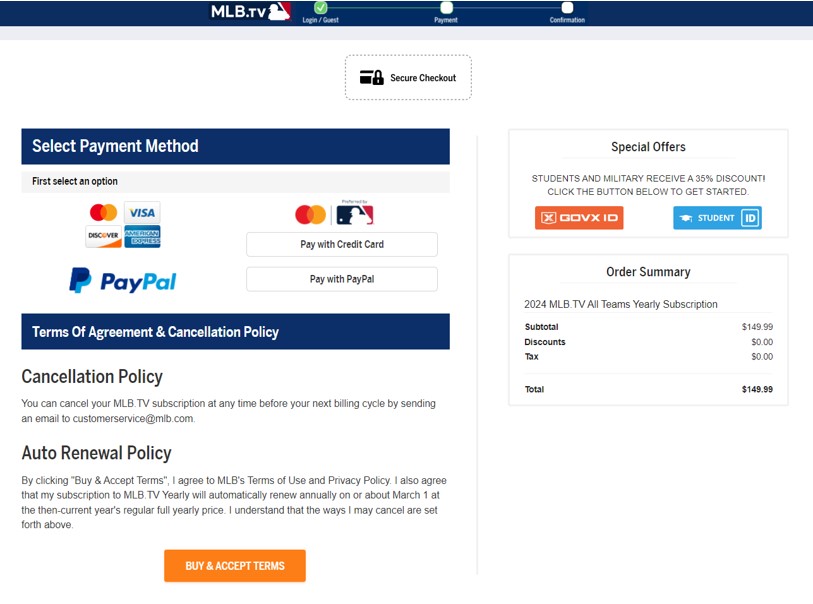
Choose your payment method. MLB.TV accepts credit card and PayPal payments. Complete the payment process to finalize your subscription.
Once subscribed, select the games you want to watch and begin streaming.
The Best VPN Services for Watching MLB.TV
| ExpressVPN | NordVPN | SurfShark | |
| Prices | 1-Month: $13.99 12-Months: $5.99/month 24-Months: $4.49/month | 1-Month: $11.99 12-Months: $4.99/month 24-Months: $3.99/month | 1-Month: $12.95 12-Months: $3.99/month 24-Months: $2.39/month |
| Money-back Guarantee | 30 days | 30 days | 30 days |
| Countries | 105 | 118 | 100 |
| Servers | 3,000+ | 7,000+ | 3,200+ |
| Maximum devices supported | 12 | 10 | Unlimited |
| Connection Speed | Ultra Fast | Fast | Fast |
| Security | AES-256 Kill Switch | AES-256 Kill Switch | AES-256 Kill Switch |
| Privacy | No-logging | No-logging | No-logging |
| Support | 24/7 Live Chat Support | 24/7 Live Chat Support | 24/7 Live Chat Support |
ExpressVPN: Ultra-fast Internet Speeds
| Prices | 1-Month: $13.99 12-Months: $5.99/month 24-Months: $4.49/month |
| Money-back Guarantee | 30 days |
| Countries | 105 |
| Servers | 3,000+ |
| Maximum devices supported | 12 |
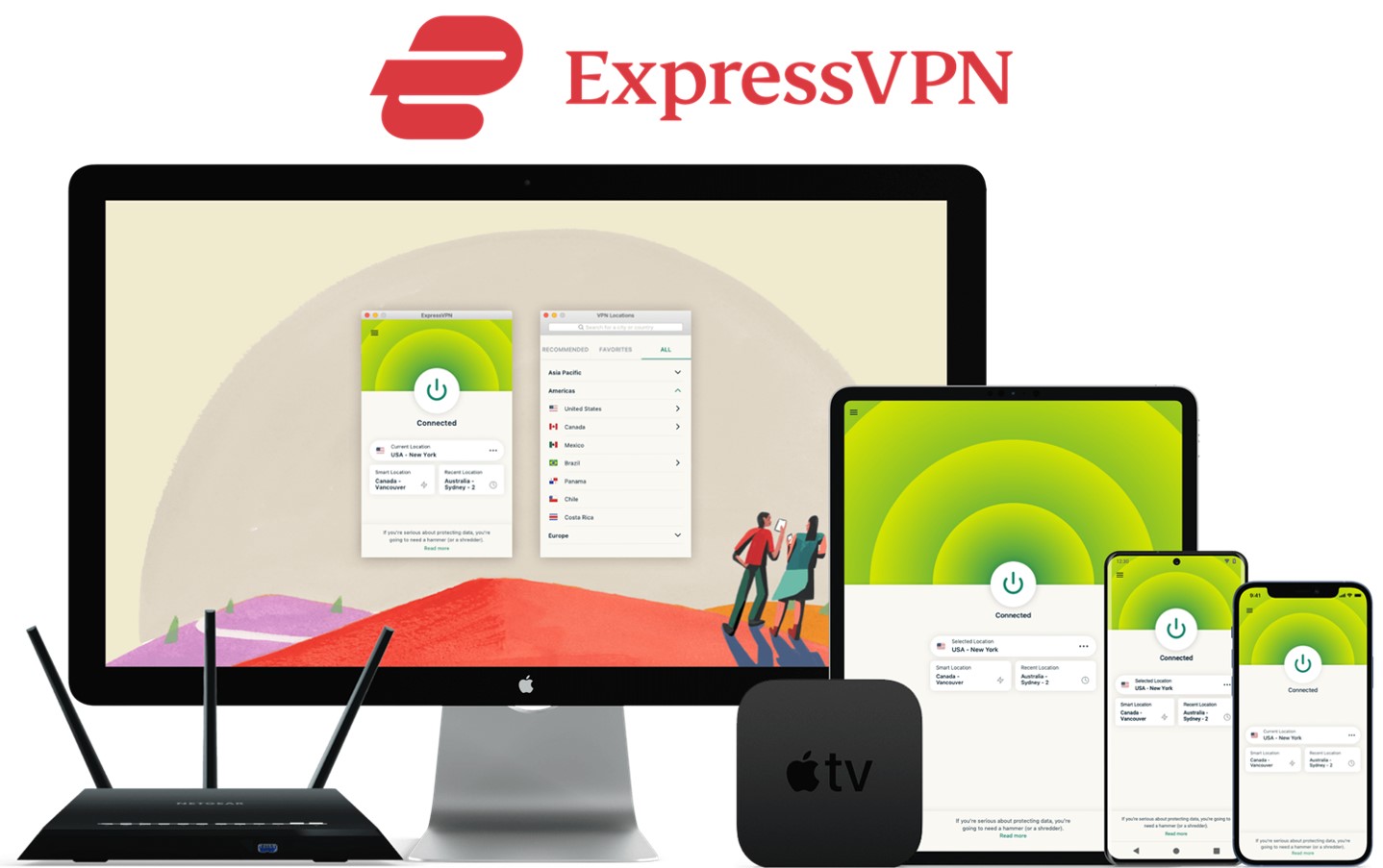
ExpressVPN offers some of the fastest internet speeds among the VPNs we have used. All VPNs may slow down your internet connection, but ExpressVPN is one of the fastest, and you rarely notice the difference. Review sites consistently rank ExpressVPN as one of the fastest VPNs. Additionally, with over 3,000 servers in 105 countries, you have a wide choice of countries to change IP addresses to. Real humans are available 24-hour live chat support to help you with setup and troubleshooting. ExpressVPN also has a no-log policy.
After you’ve registered with ExpressVPN, you can use it to easily browse the internet just by downloading their app.
- Excellent speed and stability
- Fast and user-friendly app
- Strict no-logs policy
- Wide range of server countries
- Accepts Bitcoin payments
- Slightly more expensive than competitors
- Place a high importance on internet speed
\30 day Money-Back Guarantee/
NordVPN: The Ultimate Balance of Price and Internet Speed
| Prices (standard plan) | 1-Month: $11.99 12-Months: $4.99/month 24-Months: $3.99/month |
| Money-back Guarantee | 30 days |
| Countries | 118 |
| Servers | 7,000+ |
| Maximum devices supported | 10 |
NordVPN’s excellent service, and balance of price, internet speed, servers, and countries, has allowed it to gain the greatest market share in the world. Overall, NordVPN consistently receives great reviews from leading experts. NordVPN has more than 5,800 servers in 60 countries, so you also have a lot of choices for which country to change your IP address to. You can et help and advice from our friendly customer support team through email or live chat for your 24/7. And NordVPN also has a no-log policy.
After you’ve registered, you can easily browse the internet using NordVPN just by downloading their app.
- World's most popular VPN by new user subscriptions
- Large number of available servers
- Competitive pricing
- Strict no-logs policy
- User-friendly dedicated apps
- Accepts cryptocurrency payments
- Short-term plans can be relatively costly
- Want to balance price and internet speed
\30 day Money-Back Guarantee/
Surfshark: Impressive Performance with a Lower Price
| Prices (standard plan) | 1-Month: $12.95 12-Months: $3.99/month 24-Months: $2.39/month |
| Money-back Guarantee | 30 days |
| Countries | 100 |
| Servers | 3,200+ |
| Maximum devices supported | Unlimited |
Surfshark offers impressive performance with a lower price. You can get Surfshark much cheaper than other services if you apply for the 24-month plan. Furthermore, Surfshark has no connection limits. So, you and your family can connect and use all your devices simultaneously. Surfshark has more than 3,200 servers in 100 countries. Just like the other VPNs, you also have a lot of choices for which country to change your IP address to. Customer support experts are there for you 24/7, if you need a helping hand with them via live chat or email. And SurfsharkVPN also has a no-log policy.
After you’ve registered, you can easily browse the internet using Surfshark by downloading their app.
- Affordable price (cheaper than NordVPN & ExpressVPN)
- Unlimited simultaneous connections (ideal for families)
- Large number of available servers
- Speeds comparable to top-tier providers
- Strict no-logs policy
- Accepts cryptocurrency payments
- Less effective at bypassing geo-restrictions
- Limited service history / Less established
- Who are budget conscious and want to want to connect with lots of devices
\30 day Money-Back Guarantee/
FAQs
Can I watch MLB.TV for free?
No, accessing MLB.TV’s content requires a subscription to one of their paid plans.
Is it legal to watch MLB.TV with VPNs?
Using VPNs to watch MLB.TV is legal. VPNs are widely used by individuals to protect their private information and other online activity.
Can I use a free VPN?
We recommend paid services in terms of privacy and security because we don’t know how free VPNs manage our log traffic data. It is also said that free VPNs are more likely to track our data. Many paid services have a money-back guarantee. If you aren’t satisfied with the service, you can receive a refund.
What else can a VPN be used for?
In addition to bypassing geographical content restrictions, a VPN can also enhance your online privacy and security. Furthermore, it can be used to save money on subscription services like YouTube Premium and Netflix by allowing you to subscribe from regions where prices are lower.
Conclusion
Using a Virtual Private Network (VPN) is an effective method to bypass MLB.TV’s regional blackout restrictions, allowing you to watch games that would otherwise be unavailable in your area.
- Subscribe to a VPN (We highly recommend ExpressVPN)
- Download and Launch the App and Connect to a Server in the Appropriate US Region
- Access MLB.TV via Chosen US Region